Progress
Client site78%
Brand kit52%
App v231%
Progress you can see
Visual progress shows momentum, reveals patterns, and keeps your attention on finishing.
 Projectholic
Finish what you started. Plan, schedule against real hours, and ship without losing momentum.
Projectholic keeps the sequence simple. Think through the work, place it on the calendar, then finish with clarity. Each step stays lightweight, so you move forward without over-planning.
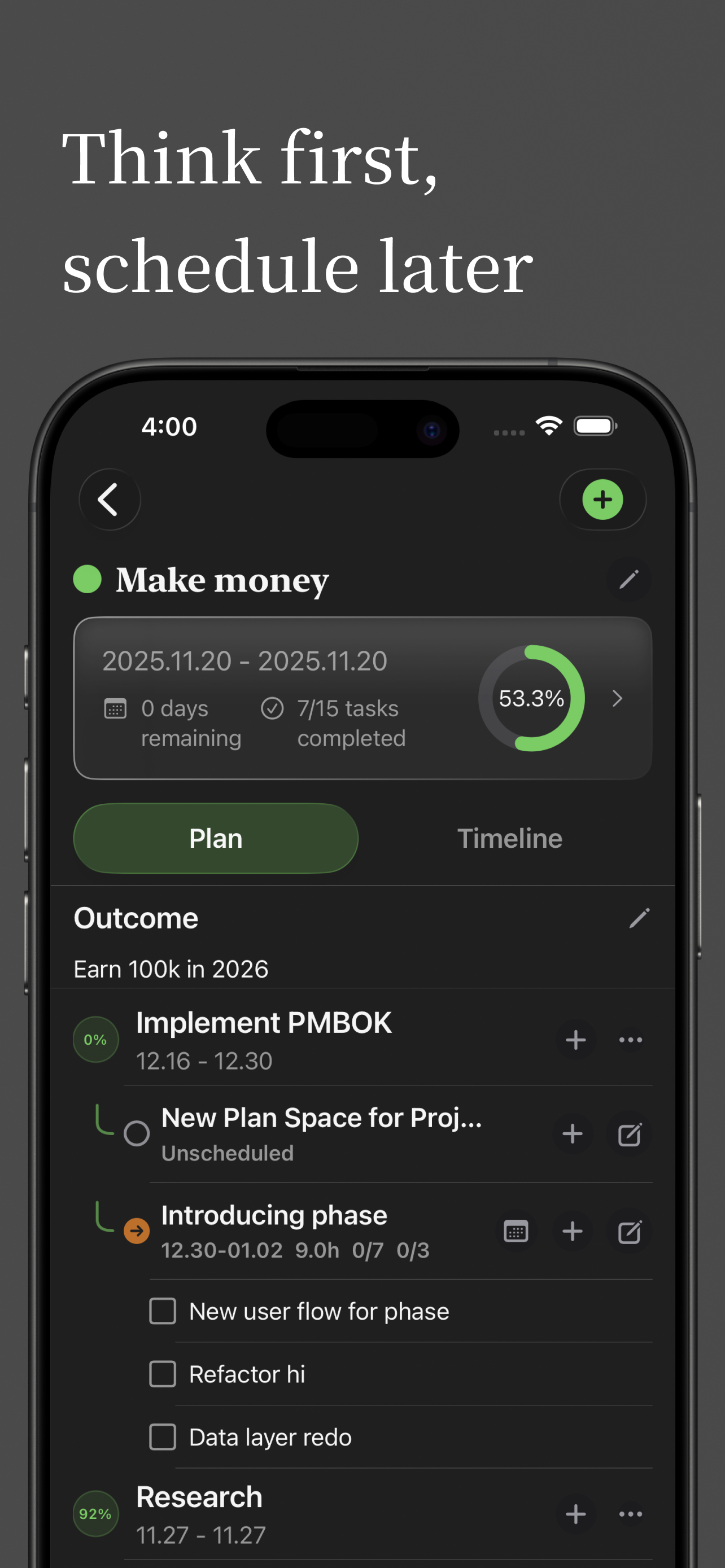
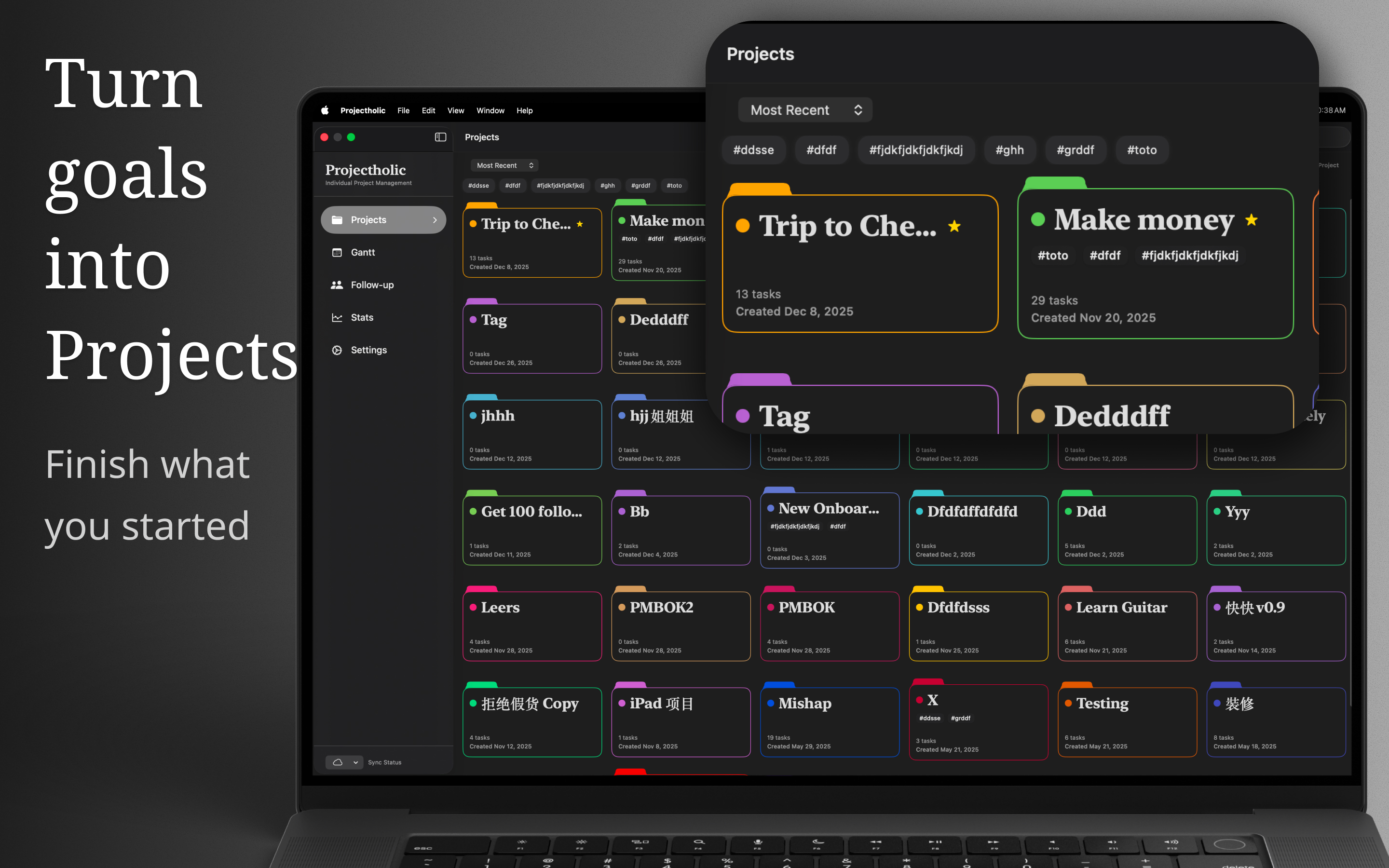
Turn your goal into a project. Define milestones, key tasks, and the outcome you want to achieve.
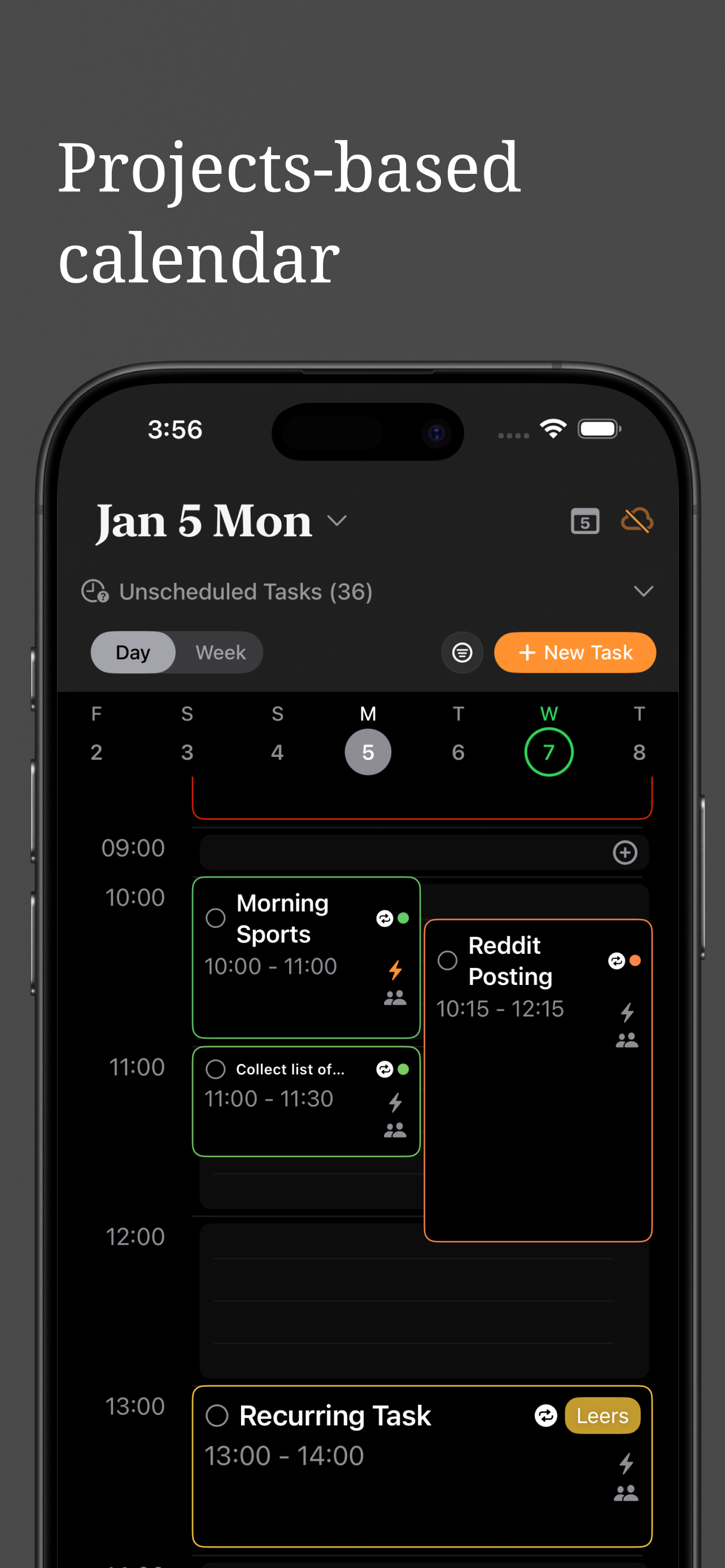
Place tasks where they fit. Schedule against the hours you actually have, so the plan stays realistic.
Track progress over time, adjust with confidence, and close projects with a clear finish line.
Keep project work and the rest of your day in view. Sync scheduled tasks with Apple Calendar, or bring selected Calendar events and Reminders into any Projectholic project.
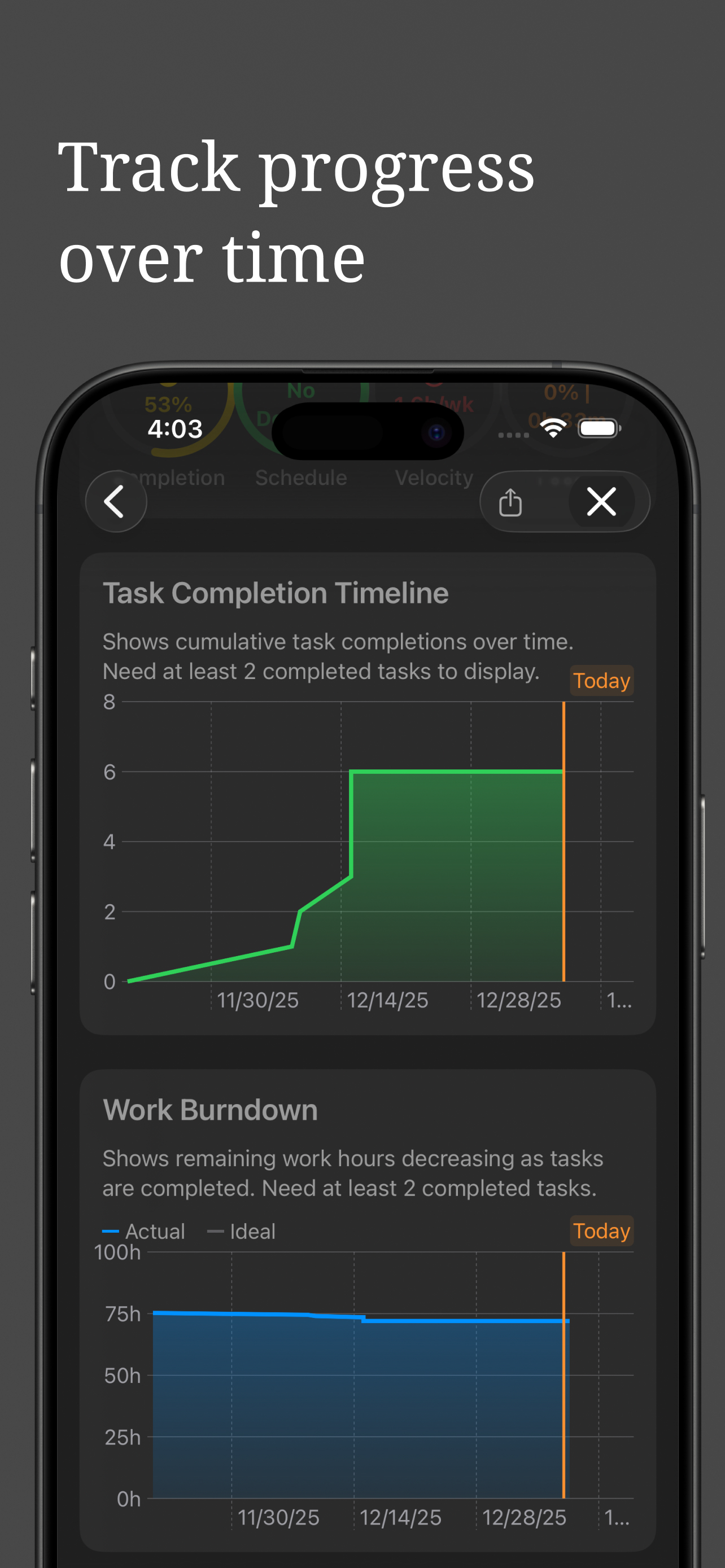
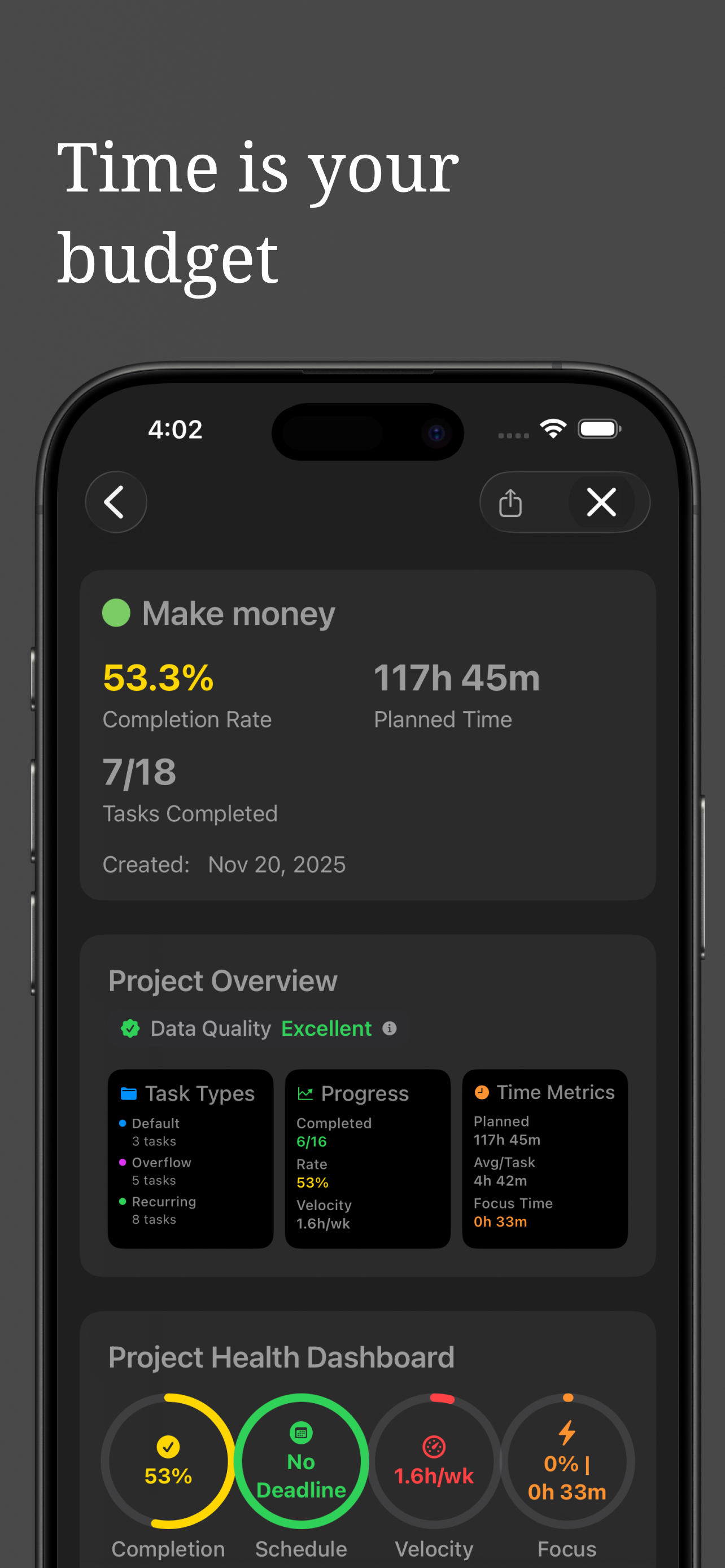
Set a project's time budget up front, then track the real numbers — planned hours, focus time, velocity, and completion — so you always know whether a project is on pace or quietly slipping.
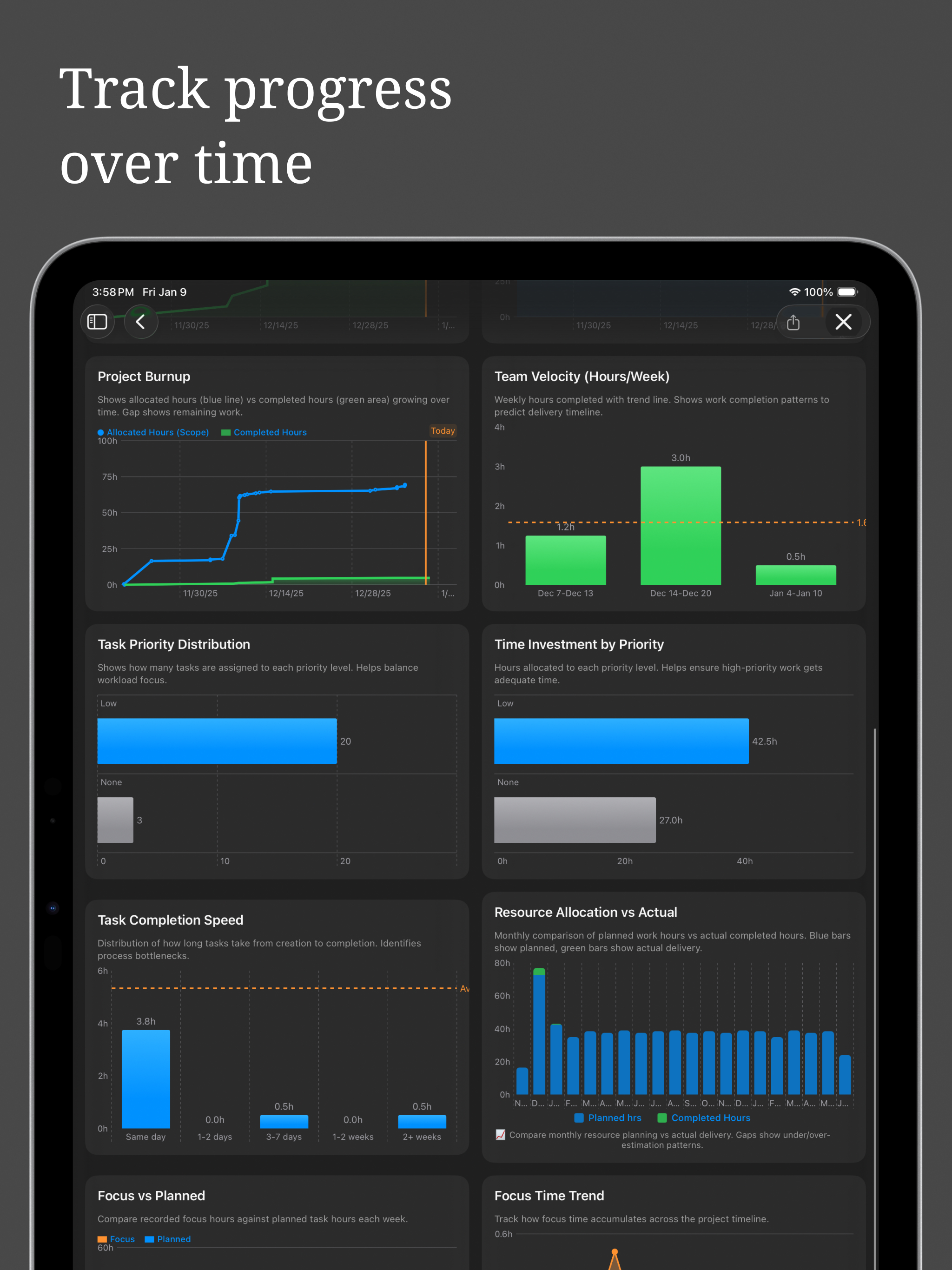
Visual progress shows momentum, reveals patterns, and keeps your attention on finishing.
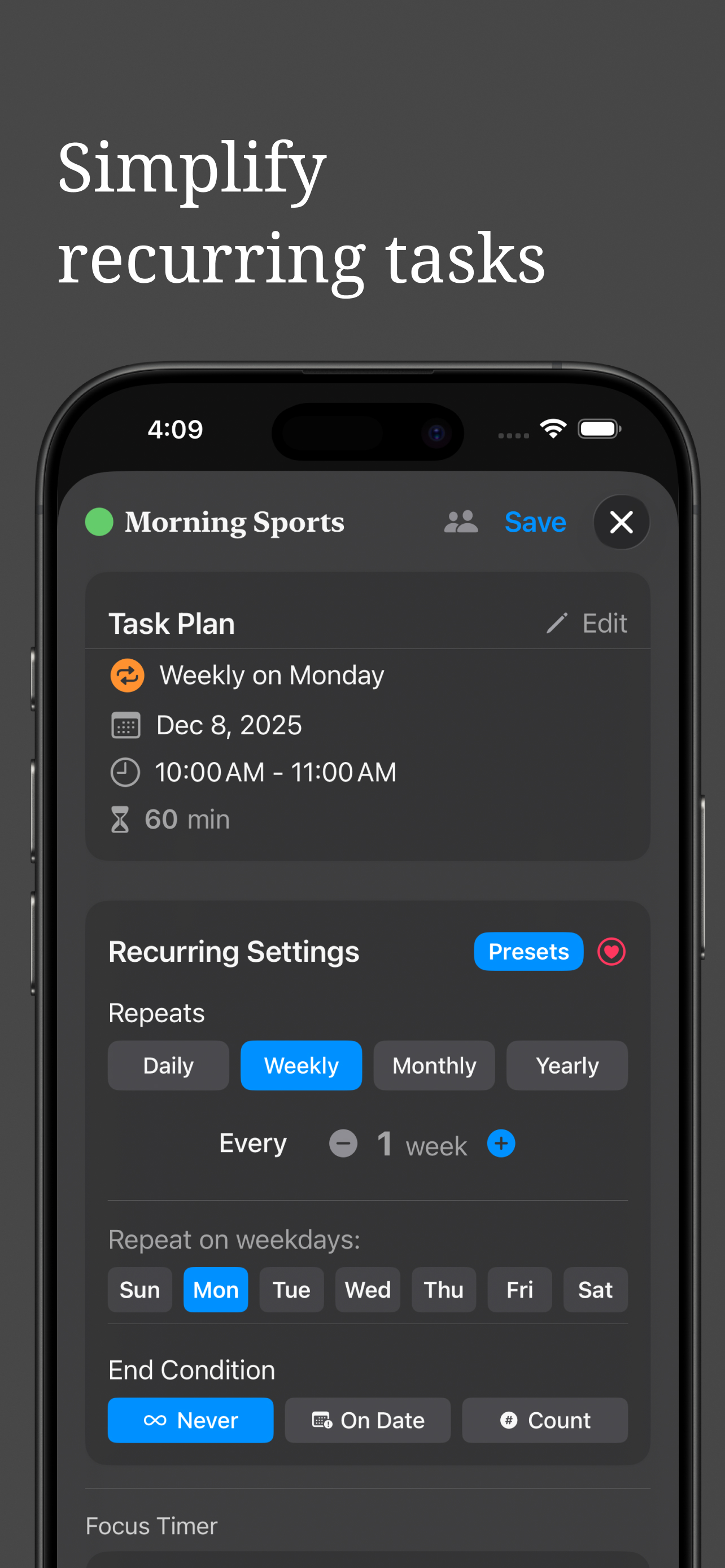
Build recurring tasks that adapt to your schedule without extra effort.
Assign owners and keep follow-ups clear with one source of truth.
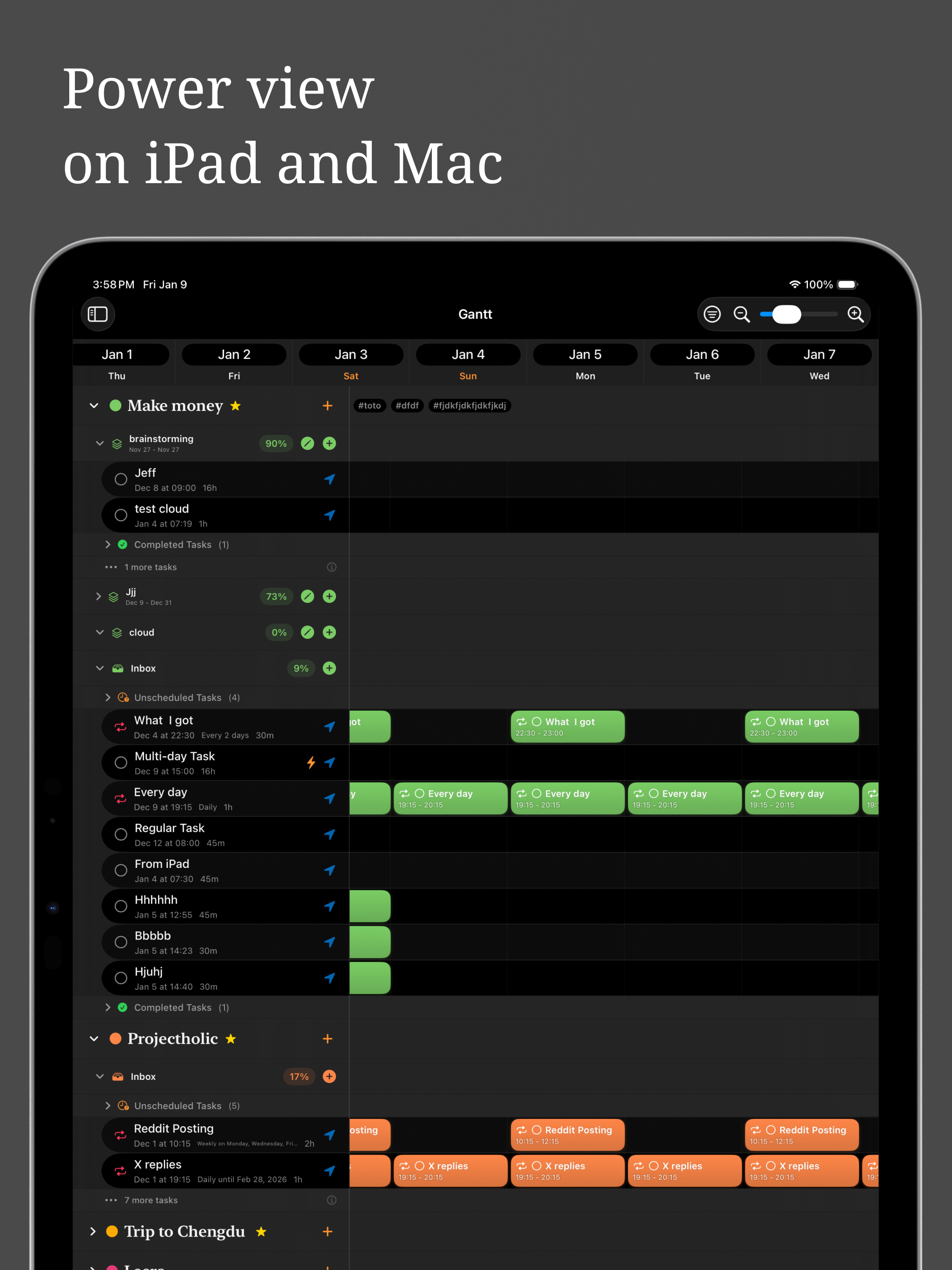
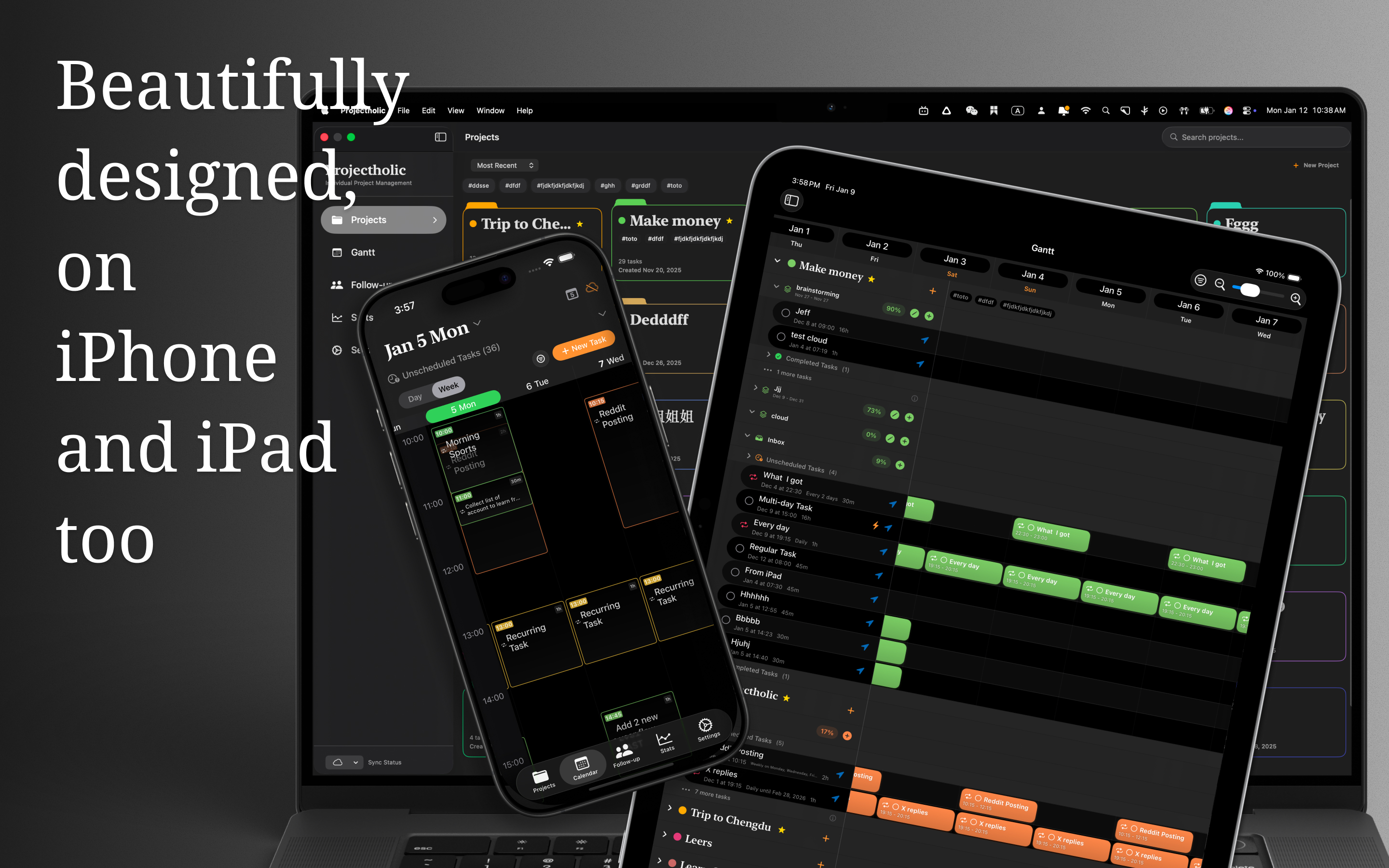
See the timeline on iPhone, iPad, and Mac. The compact iPhone view keeps planning practical on the go, while larger screens open into a wide command center.
Plans are easy. Finishing is the hard part, so Projectholic carries you all the way through execution, review, and the business side of the work.
Start from Home with one tap — no task required. When you finish, connect the time to a task, phase, or project, create the task you just worked on, or leave it in the Unlogged Focus inbox for later.
Some work won't fit one sitting. Mark a task as multi-day and Projectholic distributes it across your week within real limits, so an eight-hour job lands as honest daily blocks instead of one impossible afternoon.
Keep the reference right where the work happens. Add photos, snap a document with the camera, attach a file, or drop in a link — then open any of them in place, without leaving Projectholic.
A plan is not one shape. Lay every project on a timeline, or push tasks across a board. The tasks are the same; the view is your call.
Lay projects end to end, zoom the density, and filter by project or tag. A today line keeps you honest about what is due. On iPhone, iPad, and Mac.
Prefer columns to a calendar? The board groups every task by where it stands — Not Scheduled, Today, Follow-up, and Done — so a project's status reads at a glance. Drag a card to reschedule or hand it off.
On the Gantt, link a task before the ones that follow. When something you depend on moves, everything downstream shifts with it to stay in order — and a single tap undoes the whole cascade.
Set your rate and Projectholic turns focus time into money on screen. See what a project is worth by the minute and the hour, so you know which work pays and which quietly doesn't.
Log one-time charges and recurring subscriptions, set the project’s revenue, and watch profit and margin update live. Pick any date window to see how costs stack up over time.
End each day with a Daily Summary and Day-End Review to close open loops, then let Stats turn weeks of work into a picture, by month, quarter, year, and project, so overcommitment shows up before it bites.
Projectholic is native on iPhone, iPad, and Mac, with iCloud sync between all three. Here is what it actually looks like.
Finally, a productivity app that helps me both plan and execute. The Gantt view, Kanban board, and focus timer work together really well.
Planning feels natural now. I realized how effective it is to treat goals as projects. Breaking tasks down and scheduling them feels effortless.
The interface is clean and intuitive, yet it offers powerful features for project management and time scheduling.
Major features on the way, from smarter notifications to an AI project manager that thinks like your PM. Templates and task dependencies have already shipped.
Deadline warnings that flag a project at risk before your schedule slips.
Type or speak "Review designs Thursday 2-4pm" and get a structured, time-blocked task.
A personal PM that reviews projects, flags risks, and suggests the next step.
Practical guides on project planning, gantt workflows, and how freelancers actually run client work without dropping deadlines.
An honest comparison of the Mac project management apps worth using, with notes on freelancer fit and gantt support.
Client WorkflowA practical system for sequencing overlapping projects, planning real capacity, and keeping client work calm.
Gantt GuideUse milestones, sequencing, and capacity planning to make a gantt-style system that stays useful past week one.
Freelancer ToolBuild one system for client delivery, admin, and personal priorities without losing the thread.
Quick answers about Projectholic, who it's for, and how it works.
Projectholic turns the projects in your head into a clear plan you can actually finish. Set a goal, break it into milestones, and schedule the work against the real hours you have this week, not the optimistic version. It runs natively on iPhone, iPad, and Mac with iCloud sync, and it's free to download on the App Store.
Projectholic is free to download and free to start. On the free plan you can build and schedule your first project — milestones, tasks, subtasks, dependencies, and the board — at no cost. A Pro upgrade unlocks the rest: unlimited projects, two-way Apple Calendar sync, iCloud sync across your devices, in-depth stats and earnings, task attachments, and cost and profit tracking. Pro is available as a subscription or a one-time purchase through your Apple ID, so there's no separate account to create.
iPhone, iPad, and Mac, with iCloud sync between all three. Plan on the train, adjust on the couch, ship at the desk. Your projects move with you, no setup required. Each platform uses native conventions, so it feels right whether you're on a Mac trackpad or an iPad with Apple Pencil. Try it on whichever you have nearest first.
Yes, but the kind that helps you finish, not the kind you spend three days maintaining. Place milestones, drop tasks under them, and see the timeline against your real available hours. It's gantt-style thinking without enterprise overhead. Most people have their first project mapped within ten minutes of opening the app.
Yes. Start Focus from Home with one tap on iPhone, iPad, or Mac. When you finish, link the time to a task, phase, or project, create a task, or keep it in the Unlogged Focus inbox for later. Completed sessions also appear on the Today timeline.
Yes. Scheduled Projectholic tasks support two-way Apple Calendar sync. You can also select Apple Calendar events and Reminders and import them directly into any Projectholic project.
Feioustudio is an independent practice founded by Feiou Su, with a background in interaction design, AR/VR, and product design. The studio also makes Watermelon Todo, NearbyGem, and Udoland, but Projectholic is the one built for people who want to actually finish what they start. Read the story on the about page, then download the app and try it.
Follow updates, share feedback, and connect with the community.
Turn intent into action.