Why does managing multiple projects break down?
When you only have one client, planning is easy. The whole week belongs to that work. When a second and third client arrive, something subtle changes. Your week stops being a single project and becomes a portfolio. Each project has its own pace, its own urgency, and its own quiet expectation that you are mostly thinking about it.
The pressure does not come from any single project. It comes from the gaps between them. Switching costs, half-finished context, missed handoffs, forgotten follow-ups. Most missed deadlines start as small invisible drift weeks before the deadline itself.
What mindset shift fixes most multi-project problems?
The single biggest improvement is to stop thinking in tasks and start thinking in capacity. A task list tells you what to do. A capacity view tells you whether what you committed to is actually possible. People who manage multiple client projects calmly tend to share one habit: they look at their week as a fixed amount of real working hours and refuse to commit beyond it.
This sounds obvious and almost nobody does it. Most freelancers say yes to projects based on whether they can imagine doing the work, not based on whether the time exists. That is how three reasonable yeses become an impossible month.
How do you sequence multiple projects under pressure?
You do not need a complicated process. You need four things working together: clear projects, real milestones, a schedule that respects your actual hours, and one place where everything lives. The system below works whether you have two clients or eight.
1. Define every active piece of work as a real project
If something has a client, a deliverable, and a deadline, it is a project. Not a task, not a vague intention. Naming it as a project forces you to give it a scope, a milestone, and an owner of the outcome, which is you. The act of naming is half the work.
Avoid hidden projects. The dangerous ones are the ones living in your inbox: a small revision request, a quick favor, an unfinished handoff. They consume time without showing up on any plan.
2. Break each project into a few real milestones
Not a hundred subtasks. Three to seven milestones is usually enough. A milestone is a checkpoint where the client could review something meaningful. For a brand project that might be discovery, direction, design, refinement, delivery. For a website that might be sitemap, wireframes, design, build, launch.
Milestones matter because they are the only places where the project visibly moves. Tasks make you feel busy. Milestones tell you whether you are actually progressing.
3. Sequence projects against your real working hours
This is where most systems fail. People plan as if every week has forty productive hours. Almost no freelancer actually has that. Between client calls, admin, proposals, email, and the quiet recovery time good work needs, real focused hours are usually fifteen to twenty-five a week.
When you place project work into a timeline that respects those real hours, two things happen. Honest deadlines emerge, and the temptation to overcommit drops sharply. A gantt-style view is especially useful here because it makes overlap visible. You can see at a glance when two projects are quietly competing for the same week. If you have not built one before, the practical project gantt guide walks through the milestones-first method that pairs with this capacity view.
4. Keep one source of truth
Multiple client projects do not fail because you lack information. They fail because the information is scattered across email threads, Slack, Notion docs, sticky notes, and your memory. The single highest leverage move is to put projects, milestones, and schedule capacity in one place that you trust.
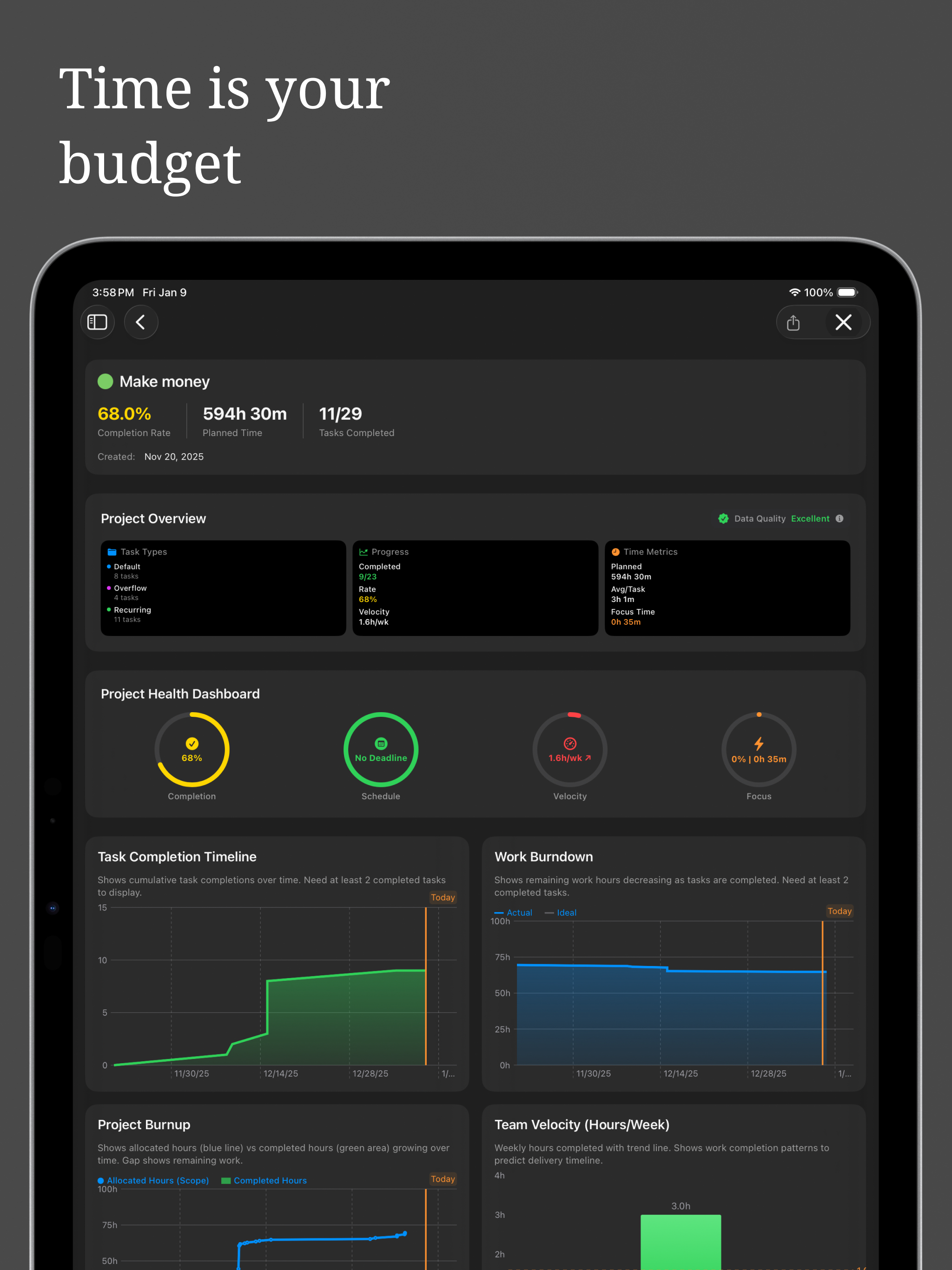
For Apple users, that is exactly what Projectholic is built for. Projects, milestones, and a real schedule sit together on iPhone, iPad, and Mac. The point is not the app itself. The point is that one trusted place beats five fragmented ones every time. If you prefer a different tool, that is fine. Pick one and commit to it.
What weekly and daily rhythms prevent dropped deadlines?
A system without rhythm decays. The two rituals below are usually enough to keep multi-client work stable.
The Friday review, twenty minutes
At the end of every week, look at every active project. For each one, answer three questions. Is the next milestone still realistic. Is anything quietly slipping. Is anything blocked on a client response. Most missed deadlines are visible at this point. Catching them on Friday means the next week starts honest, not surprised.
The Monday plan, fifteen minutes
At the start of the week, place real work into real time. Not a wishlist. A plan. Decide which milestones move this week, which projects get the most focused hours, and where the unavoidable admin and meetings go. If the plan does not fit, something has to change before the week starts, not on Thursday at midnight.
How do you handle a deadline that starts slipping?
Even with a good system, things slip. The difference between a calm freelancer and a stressed one is rarely fewer slips. It is how early they notice and how cleanly they communicate.
- Tell the client as soon as you know, not as soon as you have to
- Offer a revised date you actually believe, not a hopeful one
- Explain the shift in one short paragraph, no over-apologizing
- Update the project plan visibly so the new date becomes real
Clients almost always respond well to early honesty and badly to late surprise. The math here is simple. A deadline moved with two weeks of notice is a planning conversation. The same deadline moved the day before is a credibility problem.
What communication rules protect your focus?
Multiple client projects mean multiple communication threads, and constant context-switching is what ruins focus. A few small rules help more than people expect.
- Batch client communication into one or two clear windows a day
- Set expected response times in your onboarding, not later
- Use short async updates instead of meetings whenever possible
- Centralize file delivery so nothing is lost in a chat thread
The point is not to seem unavailable. It is to be reliably present in fewer windows so the rest of your day belongs to the actual work.
When should you say no to a new client project?
The most underrated multi-project skill is refusing the wrong project. Every yes you give is a no to focused time on the projects already on your plate. If a new project does not fit your real available hours, the right move is to delay the start, not stretch the week.
This becomes much easier when your schedule is visible. It is hard to say no based on a vague feeling. It is easy to say no when you can see that the next four weeks are already committed.
Why is clarity, not productivity, the real fix?
Managing multiple client projects calmly is not a productivity problem. It is a clarity problem. When projects, milestones, and your real available time are all visible in one place, most of the chaos disappears. Deadlines stop sneaking up. Client communication stops feeling reactive. The work becomes the work again.
If you take one thing from this guide, take this. Do not try to do more. Try to see more clearly. The system that lets you see your week honestly is the system that lets you deliver.